


Hearing Aids & Technology
Bluetooth is standard now, not a premium add-on. A current pair connects to your iPhone or Android phone and, in many cases, your work laptop, so call audio and meetings play through the same devices you already have in your ears. That single feature is often what convinces a skeptical professional to give them a try.
The catch is that the hardware only gets you halfway. How well those features hold up across a real workday depends on how they are programmed for your ears and your rooms, which is where a careful hearing aid fitting at our San Mateo or San Carlos office earns its keep.
At a glance
- Modern hearing aids stream calls, meetings, and audio directly from your phone and laptop.
- Directional microphones and app controls help speech cut through open-office noise.
- Rechargeable batteries are built to last a full day, even with heavy streaming.
- The right features still need a professional fitting to perform in your actual environments.
Check that it streams from your phone and laptop
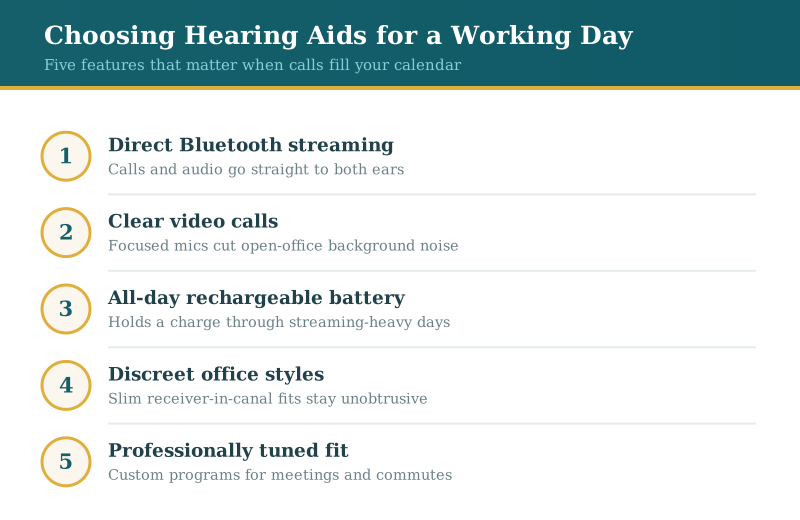
If most of your listening runs through screens, direct streaming is the feature that changes your day. Current hearing aids pair with an iPhone or Android and send call audio, podcasts, and music into both ears at once, no earbuds required. Many also link to a laptop, so a Teams or Zoom meeting plays through the devices you wear anyway. Because the sound arrives close to the eardrum and skips the room noise around you, a streamed call often comes through cleaner than the same call held against your ear.
Test how it handles a day of video calls
Back-to-back meetings are where tired ears show up first. Look for directional microphones that lock onto the voice in front of you and pull down the drone of an office, and for an app that lets you nudge the balance mid-call without anyone noticing. Speech-in-noise performance is where products separate, so it is worth comparing a few brands rather than assuming they are interchangeable. The goal is finishing a call-heavy afternoon without the drained, foggy feeling that comes from straining to decode every sentence.
Make sure the battery lasts your workday
Streaming pulls more power than passive listening, so battery life deserves a real question, not a glance at the box. Rechargeable models are the norm now, and the better ones are rated to run through a long day of calls and still have margin left. Ask specifically how the numbers hold up with several hours of streaming, since that is closer to your reality than a quiet baseline. A quick charge on a lunch break can also cover an unusually heavy afternoon.
Weigh how discreet you want them
Plenty of professionals worry the devices will announce themselves in a meeting. In practice, slim receiver-in-canal styles tuck behind the ear and disappear against most hairlines, and some sit almost entirely in the canal. You are trading a little size for battery and features, so the right balance depends on your priorities rather than a rule. Trying a couple of form factors during a consultation tells you more than any spec sheet about what you will actually be comfortable wearing all day.
Get the settings matched to your rooms
Out-of-the-box hearing aids are a starting point, not a finished product. The value comes from tuning them to your ears and the places you spend time: a program for conference rooms, another for the commute, another for a noisy client lunch. A thorough hearing aid fitting sets those up and verifies that speech is landing where it should. When something drifts or an app update misbehaves, service and support keep the devices doing their job instead of gathering dust in a drawer.
Start with a baseline hearing test
Before any of the technology matters, it helps to know what your ears are doing. A hearing test maps where your hearing sits across pitches and gives the person programming your devices something real to work from. If you are on the fence, that evaluation costs little and commits you to nothing. When you are ready to talk through options, our audiologists can show you what current devices do and match the features to how you actually work.
Frequently asked questions
Your questions, answered
Can hearing aids connect to my work laptop for Zoom?
In many cases they can, either directly over Bluetooth or through a small companion dongle that plugs into the laptop. Call audio then plays through your hearing aids while the built-in microphones pick up your voice. Compatibility varies by model and by your operating system, so it is worth confirming your specific setup during a fitting.
Will streaming drain the battery before the day ends?
Streaming does use more power than ordinary listening, but current rechargeable models are engineered with that in mind and are generally rated to cover a long day of calls. If your schedule is unusually stream-heavy, a short top-up on a break adds hours. We can walk through the real-world numbers for the models you are considering.
Are these devices obvious to people in meetings?
Most colleagues never notice them. Slim behind-the-ear styles hide against the hairline, and in-canal options are smaller still. Because you give up a bit of battery and feature space as they shrink, the discreet-versus-capable tradeoff is something to weigh in person rather than settle from a photo.